Remote PHP Debugging
If you want to debug your scripts on a public server while sitting at home or in the office, or in other words your
server is located in a different network than your development machine (so the server can not connect back to your machine),
you have to perform additional steps in order to provide this connectivity.
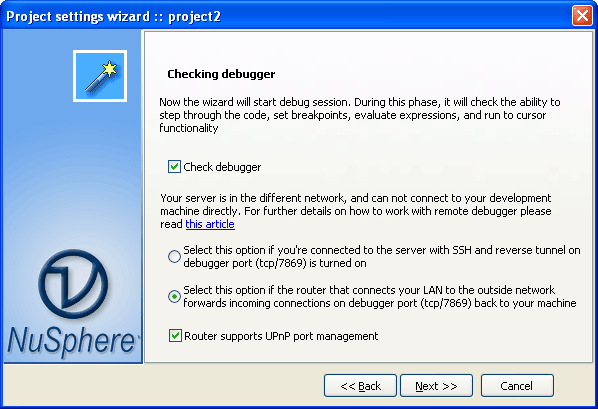
We recommend to run Project Settings Wizard first and check whether
it shows same or different network in client outbound IP line in the results. In case of same, debugger
module can work with IDE and only firewalls should be configured to permit communication on the debugger
port. In case of different networks, you need either establish port forwarding on
the NAT router or use SSH tunnel.
Setup remote debugging using SSH tunnels
SSH tunnel is a kind of data channel that opens in parallel with a regular ssh connection. It will transfer data between
debugger module and IDE.
1. Make sure that SSH daemon (sshd) is running on your server. It is a common tool for all unix/linux based servers. If you're
using Windows, you may want to try openssh service that comes with Cygwin and
configured with ssh-host-config key which installs sshd as Windows Service
2. Start PhpED and open Tools->Settings->Run & Debug->Settings page. Check "Use SSH tunnel" checkbox and
select <...Tunnels> in the dropdown. It will open tunnel settings. Enter hostname and correct port if necessary. Enter login
name and authentication password. If your server requires public-key authentication, switch to Keys tab, right click on SSH settings
and create new set of keys. Assign name as you wish in the list on the left panel. If you already have ssh2-compatible keys,
enter their public counterparts to the "Public identity files" list. These files are expected to have .pub file extensions.
All private keys are expected to be with the same file name in the same directory, but without any extensions. You can use
openssh tools to generate key paris. PhpED supports rsa and dss keys.
Once new ssh tunnel account is created, select its name in SSH tunnel line in Debugger Settings and press [OK]
3. open php.ini on the server and make sure that debugger.hosts_allow contains localhost:
debugger.hosts_allow=localhost 127.0.0.1 [::1]
debugger.hosts_deny=ALL
debugger.ports=7869, 10000/16
You don't need any other addresses here because debugger module will connect to the tunnel's socket which is local to the server.
4. Open View->Tabs->Tunnels window and make sure that tunnel connection is established
Remote PHP Debugging with NAT forwarding
When web server and phped running on different networks, you can setup remote debugging via port forwarding feature
of the NAT router. First of all, you have to locate the device through which your development machine is connected to the public
network. Open cmd console and type ipconfig without parameters. It will show all network interfaces, their addresses and
the addresses they are connected to -- Default Gateway. This gateway is address of the router you're connected to.
If it has an HTML interface, you can try to reach it in your browser by opening http://xx.xx.xx.xx/ where xx.xx.xx.xx is the address of Default
Gateway. It will open configuration panel, and you'll be able to proceed with settings according to the device's manual.
The feature you have to find is usually referred to as NAT port forwarding and lists 3 columns: inbound port number, target machine, and target port number.
Sometimes it also allows you pick either udp or tcp protocol.
Set both inbound port and target port to 7869 (or another port you've configured in the debugger settings), target host is the
IP address of your development machine (shown in IP Address line above Default Gateway). If it allows to select protocol,
please select TCP.
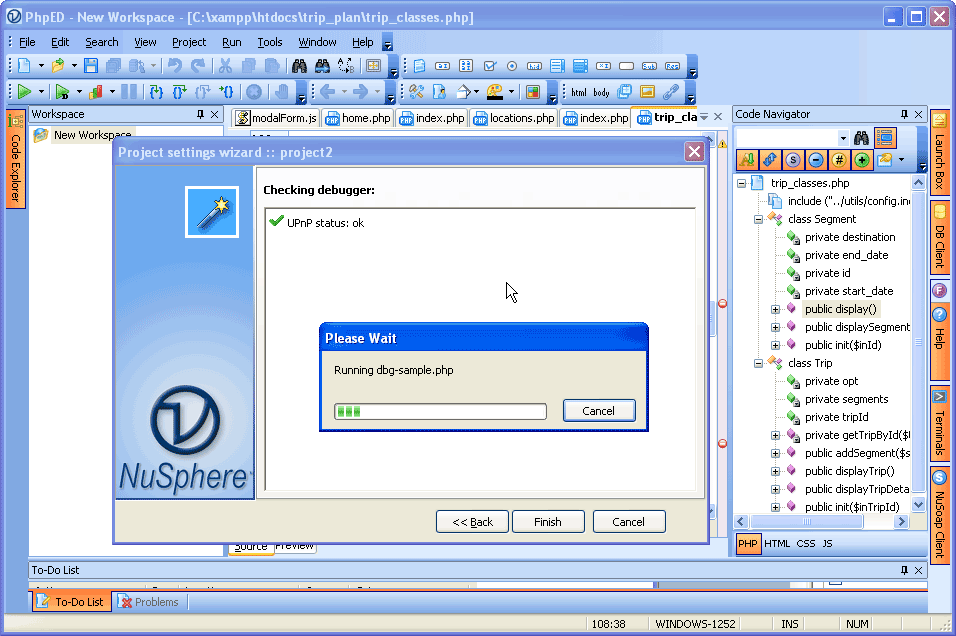
If your router supports UPnP, PhpED can automatically setup NAT forwarding.
When you select the option Router Supports UpNP port management, PhpED uses UpNP to open the communications with PHP Debugger and you don't need to setup Port Forwarding.
For UpNP to work:
- Your router should support UPnP (almost all new routers do)
- There are no additional requirements for Vista, Windows 7, or Win8 OS, but if you are running Windows XP, you have to install
UPnP. Open Control Panel -> Add Remove Programs -> Add Remove Windows Components (button on the leftmost panel) -> Networking Services -> UPnP User Interface.
If you encountered a problem, please check troubleshooting instructions below:
More about NuSphere PHP Debugger (including video tutorials) is available at https://nusphere.com/products/php_debugger.htm
|



 Run debug session