NuSphere Corporation
BUY ONLINE
Products
PhpED: PHP IDE
php tools
major features
new features
older releases
PhpED difference
version comparison
licensing
features tour
php scripts
testimonials
PhpDock
Nu-Coder
PhpExpress
TechPlatform

HTML Code tree in Code Navigator

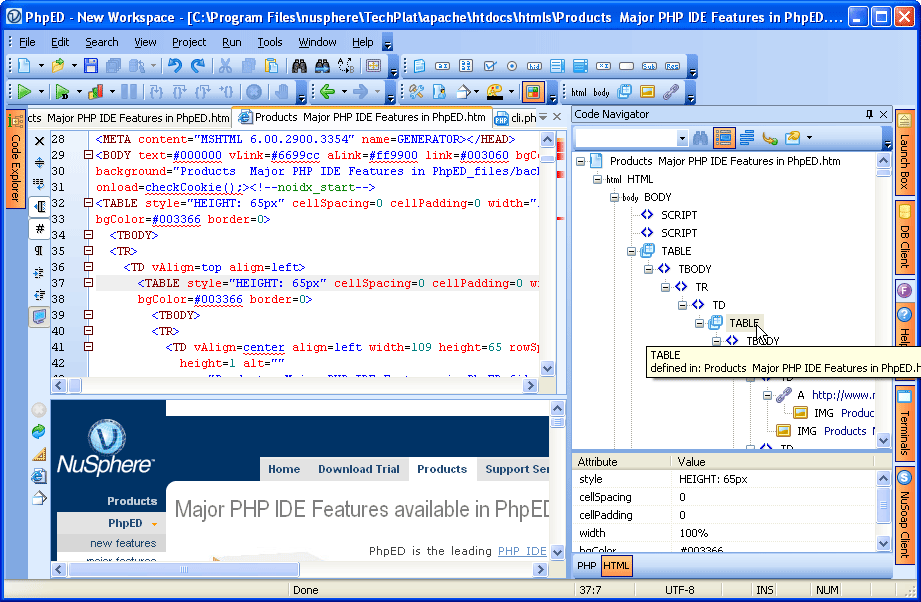
In addition to PHP mode available in PhpED's Code Navigator NuSphere's PHP IDE also provides HTML mode for code navigation. HTML Code tree combined with HTML Preview feature provides for easy HTML editing.

HTML Code tree display

When the HTML file is loaded in the editor Code Navigator tab automatically switches to HTML mode. In this mode it displays the tree of HTML elements defined in the file. The bottom part of the Navigator displays the attributes and values of the selected HTML element. For example, the picture below shows the HTML Code Navigator for NuSphere home page: HTML Code Tree
click to enlarge

HTML Code tree navigation

HTML Code tree allows you to navigate easily through HTML file. HTML Code Navigator Tool bar provides the means to configure the display of and navigation inside of the HTML file:

  • Search.
    Similar to the way it works in PHP Code Navigator it performs search in the elements of the HTML tree on the text typed in the input field.

click to enlarge
  • Track Current position.
    When this option is turned on and you move the cursor in the editor, the HTML Code navigator highlights the tree element corresponding to the current position of the cursor

click to enlarge
  • Select button.
    When you press this button, the code corresponding to the current HTML Tree element gets selected in the editor.

click to enlarge
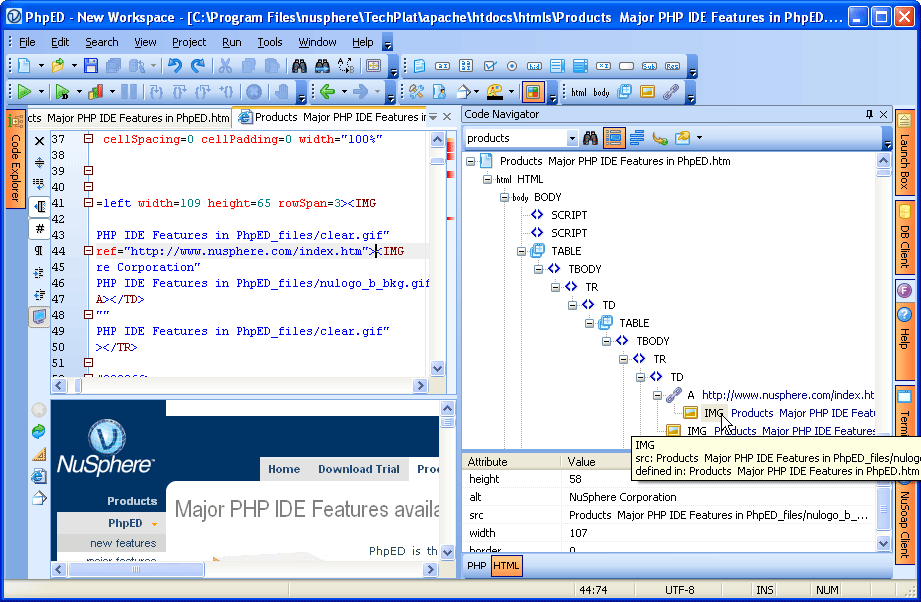
  • Go To Definition. Pressing this button positions the cursor in the editor on the HTML code corresponding to the current element of HTML tree, as it shown in the example.
    The same behavior happens on double clicking of the HTML tree elements

click to enlarge
  • HTML View Filters.
                                                                                                                     

click to enlarge
  • Using this button you can set and modify filters used for the display of the elements of HTML tree, as it is shown on the example.
    These filters can be defined using Tools->settings->Code-Navigator->HTML

click to enlarge

HTML Code navigator is only one of the many HTML Editor Tools available in PhpED along with PHP Editor Tools, such as HTML code folding and HTML Preview. You can see these tools in action when you Download a free trial of NuSphere's PHP IDE today!

 Download NuSphere PHP IDE

Download a free trial of the fast PHP EDitor and robust Integrated Development Environment for PHP.

 Buy NuSphere PhpED® now

Best PHP Editor and complete PHP IDE.
NuSphere PhpED 5.5 is available from our online store front.
"To be honest its bloody awesome, I have looked at loads of PHP editors and this is THE only one that actual works straight out of the box!!! Brilliant, well done."
Andrew Breward,
Director of Technology
caboodal.com

 Guide

Walk through NuSphere PhpED interface
PhpED video tutorial: Webservices
Learn how to add webservices to your code in less than 5 minutes (a flash demo).

 Special Team4 Offer

PhpED 5.5 Team4 Get 4 copies of PhpED for the price of 3!

Optimum solution for development teams.
Need more than 4 licenses? Contact Us for more quantity discounts, please use "Ordering/Payment issue" subject on the form.

 Dr. Dobb's

Dr. Dobb's

Dr. Dobb's Magazine covers NuSphere PhpED in New and Noteworthy section.

 InfoWorld

infoworld.com
PhpED is a proper, world-class IDE for PHP code. It is the only IDE worth considering if PHP development is your primary job