CakePHP Development
|
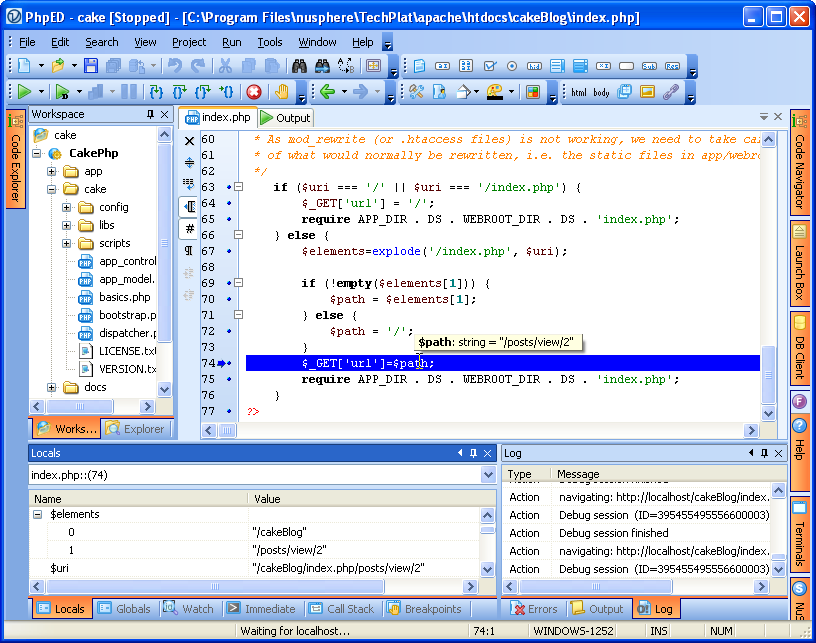
How to start debugging session with CakePHP application?
| The answer is - by opening index.php and pressing Run in Debugger button. When you do that, PhpED will start the debugging session and break the execution at the first line of CakePHP index.php file: |
 |
|
| While in debug session, PhpED will stop at the every break point you may have set in PHP Debugger and show you the value of the variables, call stack, watch points, execute the calls in the immediate window and so on - the full list of PHP Debugger functions is at your disposal. |
|
|
|
Article continues:
<<previous page
next page>>
|
|
 Download NuSphere PHP IDE Download NuSphere PHP IDE
Download a free trial of the fast PHP EDitor and robust Integrated Development Environment for PHP.
|
 Buy NuSphere PhpED® now Buy NuSphere PhpED® now
|
 Special Team4 Offer Special Team4 Offer
Get 4 copies of PhpED for the price of 3!
Optimum solution for development teams.
|
|
|
Need more than 4 licenses? Contact Us for more quantity discounts, please use "Ordering/Payment issue" subject on the form.
|
|
"To be honest its bloody awesome, I have looked at loads of PHP editors and this is THE only one that actual works straight out of the box!!! Brilliant, well done."
Andrew Breward,
Director of Technology
caboodal.com
|
|